The free Notion social media template that actually posts for you.
A ready-made content calendar for Notion — captions, media, schedule, status and analytics, already set up. Duplicate it in one click. Then, if you want, connect it to NotionScheduler and it publishes to Instagram, Threads, Bluesky, Pinterest, TikTok, Facebook, LinkedIn and more, on schedule (see the full social media management overview).
Free forever · No sign-up to duplicate · Works in any Notion workspace
See it before you duplicate it
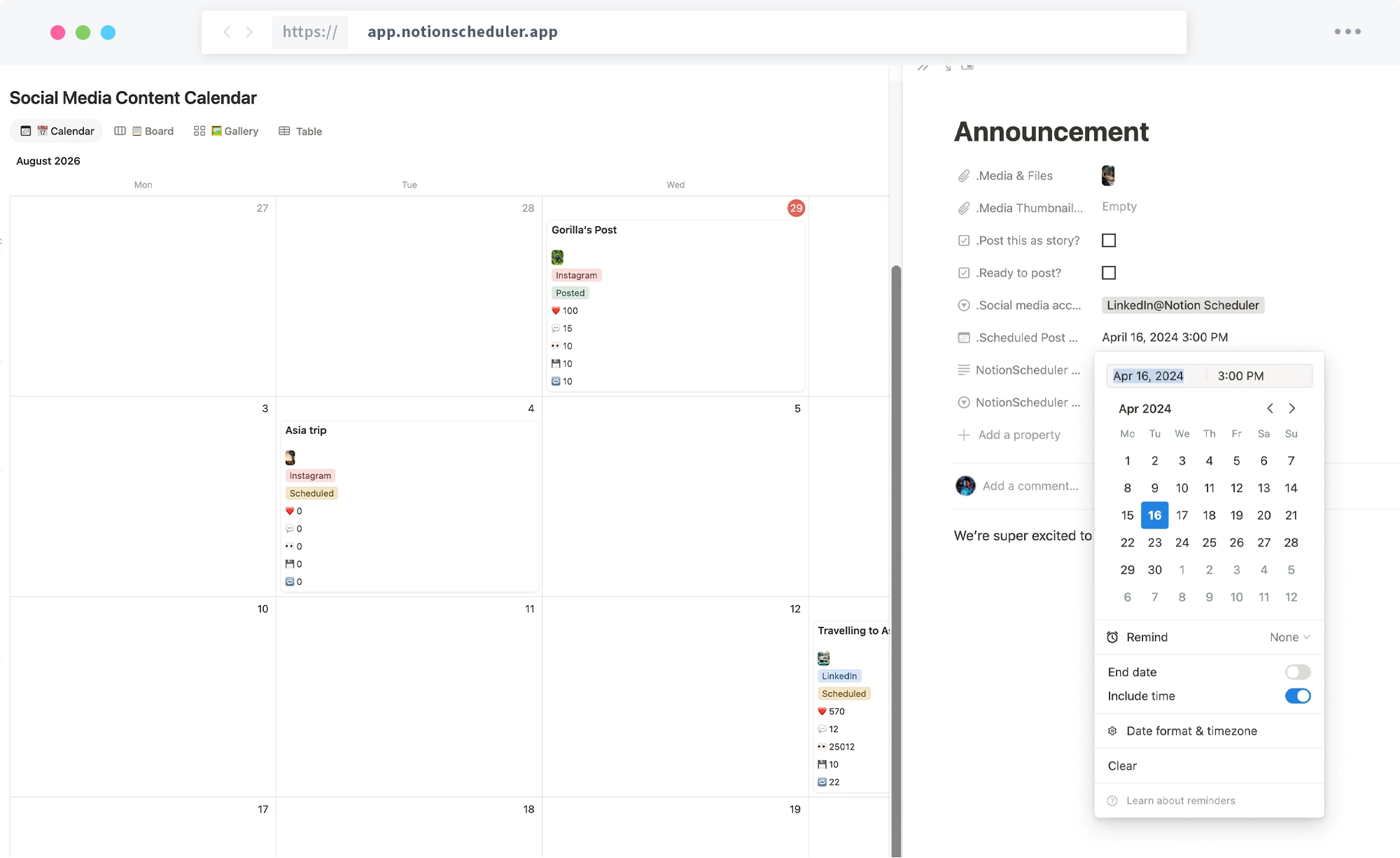
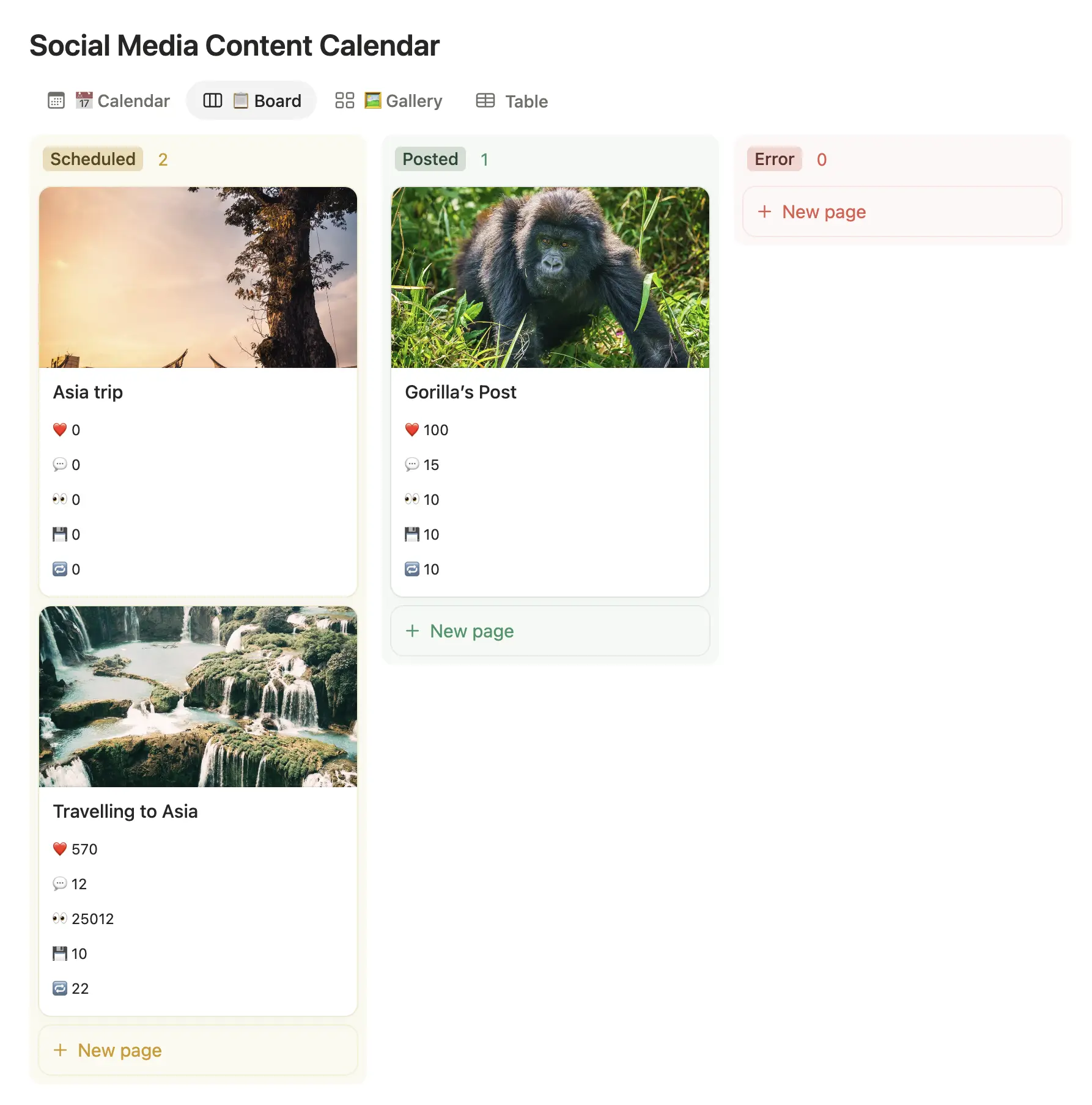
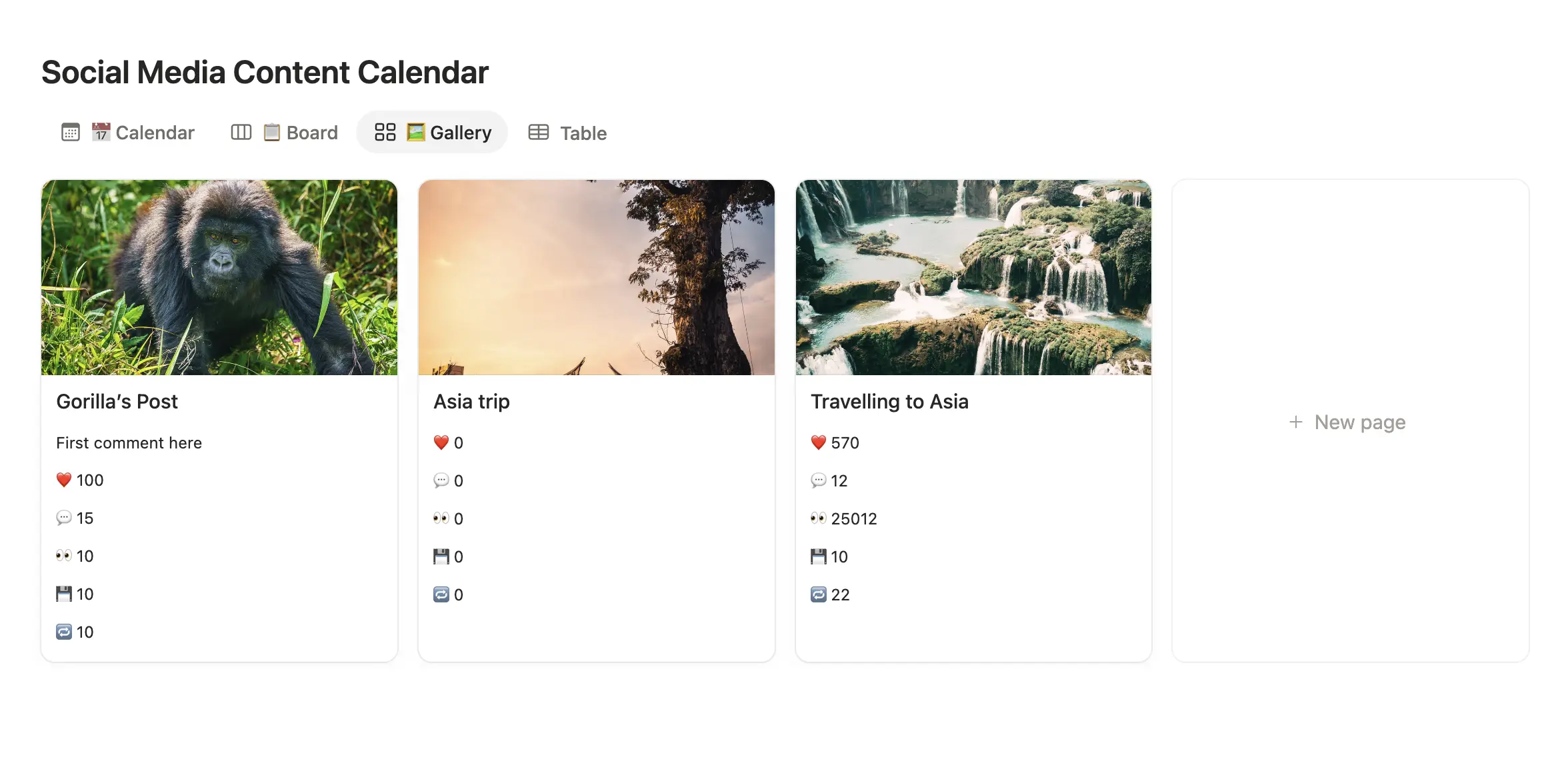
The same posts, shown the way that fits how you plan — a month calendar, a status board, or a visual grid.
Everything a content calendar needs — nothing you don't
📅 Three ready-made views
A Calendar to see the month, a Board by status, and a Gallery that previews your grid.
✍️ Caption + first comment
Write your post in the page, keep hashtags in a separate field — they post as the first comment.
🖼 Media & thumbnails
Drop images or video straight into the row. What you attach is what publishes.
🏷 Platform + status
Tag the platform and watch each post move from Scheduled → Posted on its own.
📊 Analytics that fill themselves
Views, likes, comments, shares and saves come back into the row after a post goes live.
🔌 Scheduler-ready
The columns match NotionScheduler exactly, so connecting it is instant — no setup step.
From template to auto-publishing in four steps
-
1
Duplicate the template
Click Duplicate — it copies the whole calendar into your own Notion. No account needed to grab it.
-
2
Plan your posts
Write captions in the page, attach media, set a date and pick the platform. Batch a whole week in one sitting.
-
3
Connect NotionScheduler (optional)
Link the database to NotionScheduler. Because the columns already match, it's recognized instantly.
-
4
Let it publish
Tick “Ready to post?” and each post goes out on schedule — to Instagram, Threads, Bluesky, Pinterest, TikTok, Facebook, LinkedIn and more.
What's actually in the database
Every property below ships with the template, already named and typed the way NotionScheduler expects. Add your own columns, views and colours freely — just leave these named as they are and the connection keeps working.
Planning
| Property | Type | What it does |
|---|---|---|
.Scheduled Post Date
|
date | When the post goes out. Drives the Calendar view, and it's the only field NotionScheduler needs to know when to publish. |
.Media & Files
|
files | The image or video that publishes. What you attach here is exactly what goes out — no re-uploading anywhere else. |
.Media Thumbnail (optional)
|
files | An optional custom thumbnail, for the platforms that let you set one rather than pulling a frame from the video. |
.Social media account
|
multi select | Which connected account this row publishes to. One calendar can feed every platform you've connected. |
.First Comment
|
rich text | Hashtags or credits posted as the first comment, so the caption itself stays clean. |
Publishing
| Property | Type | What it does |
|---|---|---|
NotionScheduler Status
|
select | Set by NotionScheduler, not by you: Scheduled, then Posted, or Error if something went wrong. |
.Ready to post?
|
checkbox | Your go/no-go switch. Nothing publishes until this is ticked, so a half-written draft sitting in the calendar is safe. |
.Post this as story?
|
checkbox | Publishes the row as a story instead of a feed post, where the platform supports both. |
NotionScheduler Comments
|
rich text | Where NotionScheduler writes back what happened — including the reason when a post fails, so you can fix it in place. |
Analytics
| Property | Type | What it does |
|---|---|---|
.👀 Views
|
number | Views, pulled back in after the post is live. |
.❤️ Likes
|
number | Likes, pulled back in after the post is live. |
.💬 Comments
|
number | Comment count, pulled back in after the post is live. |
.🔁 Shares
|
number | Shares, pulled back in after the post is live. |
.💾 Saves
|
number | Saves, pulled back in after the post is live. |
The leading dot keeps these grouped together and out of the way of your own columns. The two
NotionScheduler fields are written by us, not by you — leave them
to fill themselves in.
A template that plans and posts
Most Notion social media templates are pretty planners — you still copy every post into another app to publish. This one is built to connect to NotionScheduler, so the calendar you plan in is the calendar that goes live. Same rows, no re-typing, no second tool open all day.
See it for your platform
New to content calendars? Read our guide on building a Notion content calendar.
Notion template questions,
answered.
Can't find it? Ping us from the support page once you're in — we actually read those.
Yes — completely free to duplicate and use, forever. You don't even need a NotionScheduler account to grab it.
No. It works as a standalone content calendar. But connect it to NotionScheduler and the same calendar also publishes your posts automatically, on schedule.
Instagram, Threads, Bluesky, Pinterest, TikTok, Facebook, LinkedIn, X and YouTube — one calendar for all of them. Tag each post with its platform.
Yes — add your own columns, views and colors freely. Just keep the pre-set fields (the ones starting with a dot) named as they are, so NotionScheduler still recognizes them.
Duplicate the template, then link the database when you connect Notion in NotionScheduler. Because the columns already match, it's recognized instantly — no setup step.
It's one universal calendar for every platform. For platform-specific how-tos, see our Instagram, Threads, Bluesky, Pinterest or TikTok pages.