Schedule Instagram posts straight from Notion.
Notion can't post to Instagram on its own — but connect the two and you can plan your grid, write captions, and let posts, Reels and carousels publish automatically on the official API.
Needs an Instagram Business or Creator account (a free, two-minute switch in the Instagram app — an Instagram API rule for every scheduling tool). Free plan: 10 social accounts, 1 Notion database, 10 posts a month.
How do you connect Notion to Instagram? (3 ways)
Notion can't post to Instagram by itself. It's a database that looks like a document: it holds your caption, your image and the date you want it live, but it has no publishing feature and no connection to Instagram's API. To schedule Instagram posts from Notion you connect the two, and there are three ways to do it. You can keep Notion as the plan and post by hand from the app. You can wire a Notion database to Instagram's Graph API with Make, Zapier or Ayrshare, which works for simple image posts but leaves you maintaining the automation and the API access yourself. Or you can connect NotionScheduler, which reads the database you already have, adds the scheduling fields, and publishes posts, Reels and carousels on the official API at the time in the row. Whichever route you take, Instagram only allows automated posting to a Business or Creator account.
Last updated July 2026
Notion on its own
Notion has no posting built in. It's perfect for planning your grid and captions, but it can't publish to Instagram — you need a bridge between the two.
Automation tools
Make, Zapier or Ayrshare can post to Instagram from a Notion database via the Graph API. Flexible, but you build and maintain the workflow and manage API access yourself.
NotionScheduler
Connect your workspace, add a few fields, write in Notion. Posts, Reels and carousels publish automatically on Instagram's official API — no automations to build.
How to schedule Instagram posts from Notion
Once your workspace is connected, planning and publishing Instagram lives in Notion. Four steps:
-
1
Connect Notion and an Instagram Business account
Sign in, authorize your Notion database, and link an Instagram Business or Creator account — Instagram's API requires one, and it's a two-minute switch in the app.
-
2
Add the scheduling fields
NotionScheduler adds the fields a scheduler needs — date and time, status, caption, first comment and media. No template to import; it fits the database you already have.
-
3
Plan your grid in Notion
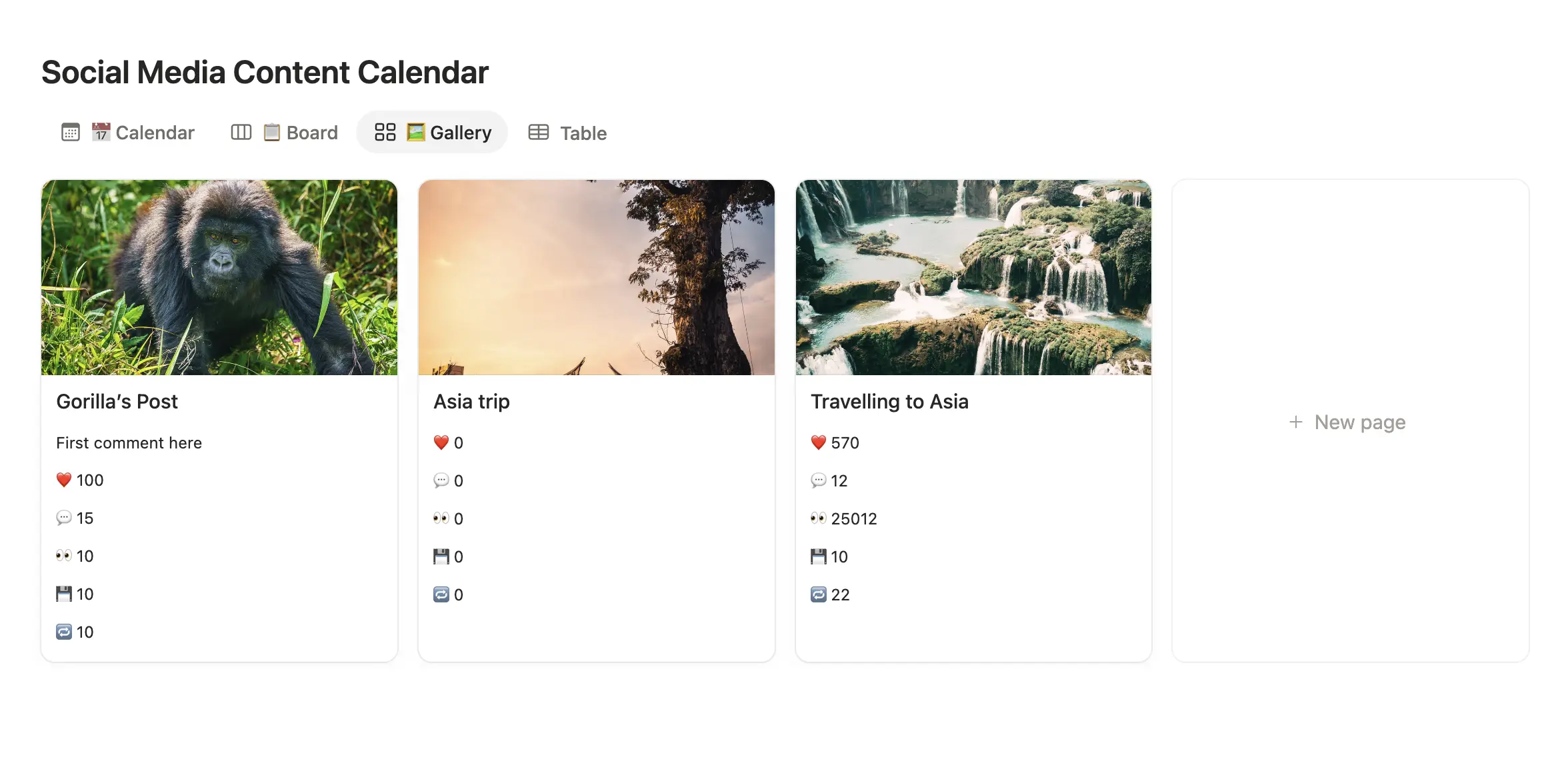
Draft captions, drop in images, carousels or Reels, and set the date each should post. Notion's gallery view doubles as a grid preview.
-
4
Let it auto-publish
At each scheduled time, the post, Reel or carousel publishes to Instagram automatically on the official API — with your hashtags posted as the first comment if you want.
Start from a ready-made Instagram calendar
Duplicate our free Notion content-calendar template — captions, media, schedule and status, already set up. Connect it to NotionScheduler and it publishes to Instagram on its own.
Your Instagram calendar belongs next to your ideas
Most Instagram tools make you re-type captions you already wrote somewhere else. If you brainstorm posts in Notion — and most people do — exporting them into a separate planner just adds a step where things get lost. NotionScheduler reads the row you already filled in and posts it for you.
Grid planning
See your upcoming feed in Notion's gallery view before anything goes live.
Reels & carousels
Schedule single images, carousels and Reels from the same Notion row.
Caption + first comment
Write the caption and the hashtag comment together, where you draft everything else.
No business-account headaches
Connect once via the official API. We handle the token refresh nonsense.
Instagram specs, at a glance
The limits and formats worth knowing when you schedule Instagram posts from Notion — so what you plan is what actually publishes.
- Caption length
- Up to 2,200 characters
- Hashtags
- Up to 30 — post them as the first comment to keep the caption clean
- Feed images
- 1:1 (square), 4:5 (portrait) or 1.91:1 (landscape)
- Reels
- Vertical 9:16, up to ~90 seconds
- Account needed
- Business or Creator account linked to a Facebook Page (official API requirement)
A real row: one Reel, scheduled from Notion
Instagram's API rejects a carousel with mixed aspect ratios, so keep every image in one post the same shape (all 4:5 or all 1:1). Hashtags go in the first-comment field, not the caption; the caption is what shows under the Reel, and 30 hashtags in it is exactly what makes a post look scheduled. If a Reel is longer than about 90 seconds it publishes as a regular video, not a Reel.
- Page title
- Reel: the 3-view content calendar walkthrough
- .Scheduled Post Date
- Thu, Oct 2 · 17:30
- .Social media account
- @notionscheduler (Business)
- .Media & Files
- calendar-walkthrough.mp4 (9:16, 48s)
- First comment
- #notion #contentcalendar #socialmediascheduler
- .Ready to post?
- ✓
- NotionScheduler Status
- Scheduled
Start free. Upgrade if you outgrow it.
Most people never need to pay us a cent — and that's genuinely fine by us.
Instagram questions,
answered.
Can't find it? Ping us from the support page once you're in — we actually read those.
Yes. Notion can't post on its own, but with NotionScheduler you connect your workspace, plan posts in a Notion database, and they publish to Instagram automatically at the time you set.
Yes — Instagram's official API requires a Business or Creator account connected to a Facebook Page. That's an Instagram rule for every scheduling tool, not ours, and switching takes two minutes.
Yes. Drop a video into the Notion row for a Reel, or several images for a carousel, set the date, and it publishes that way. Single images work the same.
Yes. Keep your caption clean and put your hashtags in a separate field — they post automatically as the first comment.
Yes — there's a free Notion content-calendar template you can duplicate straight into your workspace; grab it from the template section on this page. Prefer your own setup? NotionScheduler adds the fields to any database you already use.
More on Instagram and Notion.
Schedule everywhere else, too.
One Notion workspace, every platform. Same workflow, wherever you post.
Already using another scheduler?
Prefer a ranked list? The best Notion social media schedulers or, if you're leaving Buffer, the Buffer alternatives for Notion users.